
- Training
- Service
- Promotion
- Schedule
- Testing Center
- News
- Contact
2/15/2022


What is Power BI?
Microsoft Power BI is a collection of software services, apps, and connectors that work together to turn your unrelated sources of data into coherent, visually immersive, and interactive insights. Whether your data is a simple Microsoft Excel workbook, or a collection of cloud-based and on-premises hybrid data warehouses, Power BI lets you easily connect to your data sources, visualize (or discover) what's important, and share that with anyone or everyone you want.
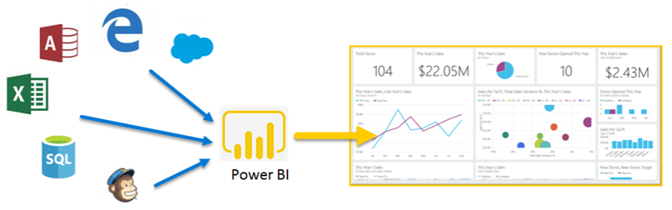
Power BI can be simple and fast, capable of creating quick insights from an Excel workbook or a local database. But Power BI is also robust and enterprise-grade, ready not only for extensive modeling and real-time analytics, but also for custom development. Therefore, it can be your personal report and visualization tool, but can also serve as the analytics and decision engine behind group projects, divisions, or entire corporations.
The parts of Power BI
Power BI consists of a Microsoft Windows desktop application called Power BI Desktop, an online SaaS (Software as a Service) service called the Power BI service, and mobile Power BI apps that are available on any device, with native mobile BI apps for Windows, iOS, and Android.
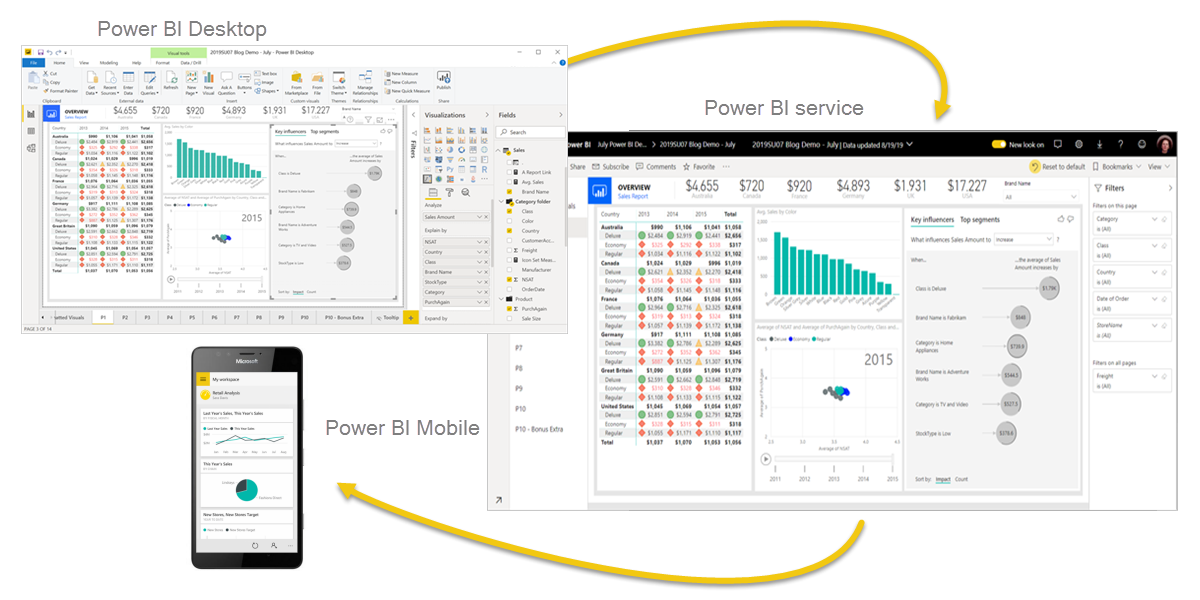
These three elements—Desktop, the service, and Mobile apps—are designed to let people create, share, and consume business insights in the way that serves them, or their role, most effectively.
Audience
Data Modeling

Share & Collaborate
a. Design Dashboards
b. Build and configure workspaces
c. Build an app
d. Auto updated data sources
e. API integration

Download Power BI Desktop
You can download Power BI Desktop from the web or as an app from the Microsoft Store on the Windows tab.
|
Download Strategy |
Link |
Notes |
|
Windows Store App |
Will automatically stay updated | |
|
Download tại web |
Must manually update periodically |
Sign into Power BI service
Before you can sign into Power BI, you'll need an account. To get a free trial, go to app.powerbi.com and sign up with your email address.
Use Power BI
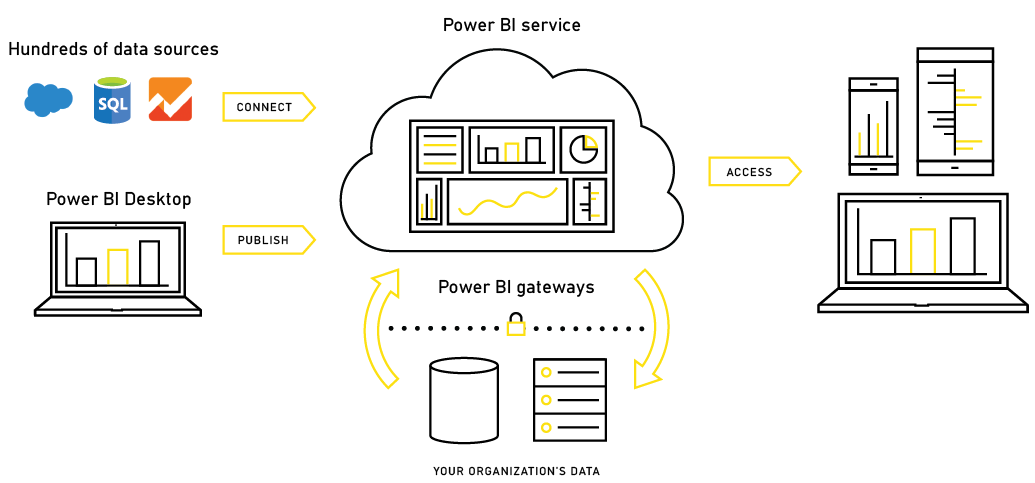
The activities and analyses that you'll learn with Power BI generally follow a common flow. The common flow of activity looks like this:
See more
Click here for Power BI for Desktop course outline.

12/11/2025


